
Install on GoHighLevel
Split test your GoHighLevel funnels and websites, and count every lead, booking and sale against the version each visitor saw.
About 10 minutes
Before you start
- Admin access to the sub-account.
- Your form or calendar sends people to a thank-you step.
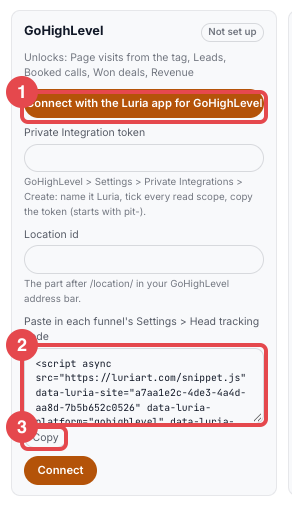
Paste it into your funnel
In GoHighLevel: Sites → your funnel → Settings → Head tracking code. Paste, then Save.
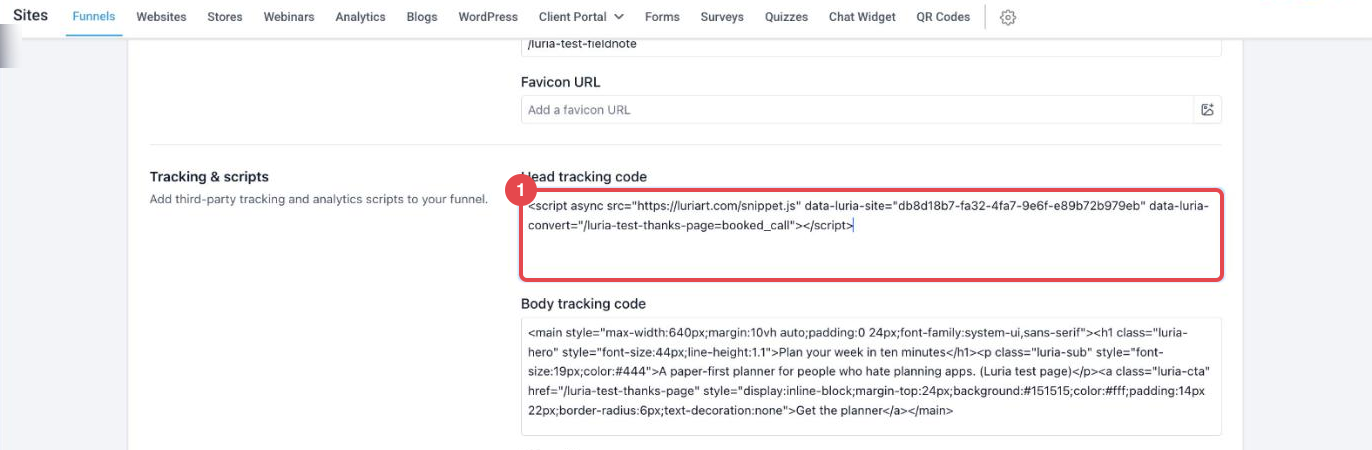
Paste it once per funnel or website. It runs on every step.
Connect your sub-account
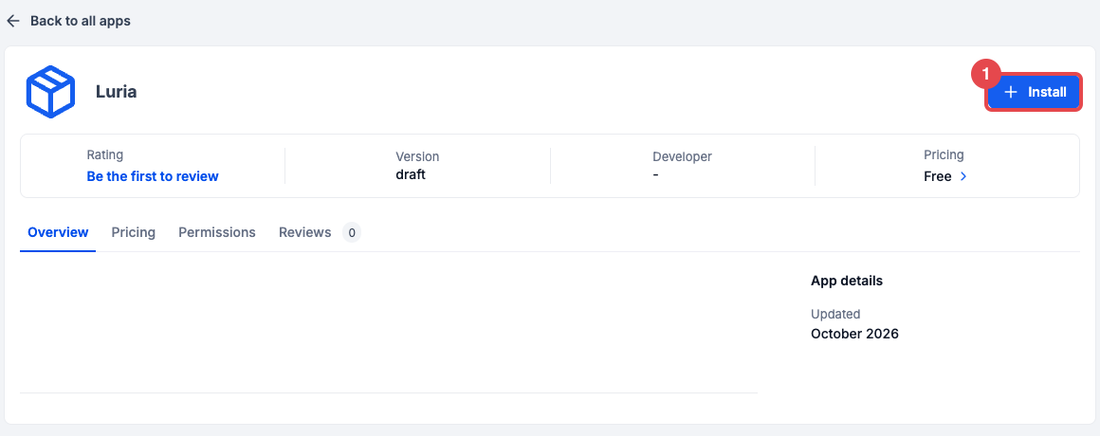
Press Connect GoHighLevel. GoHighLevel opens the Luria app:
- Install.
- Proceed to Install (GoHighLevel's note that Luria is a private app).
- Check the sub-account, then Allow & install. You land back on your Luria dashboard, connected.
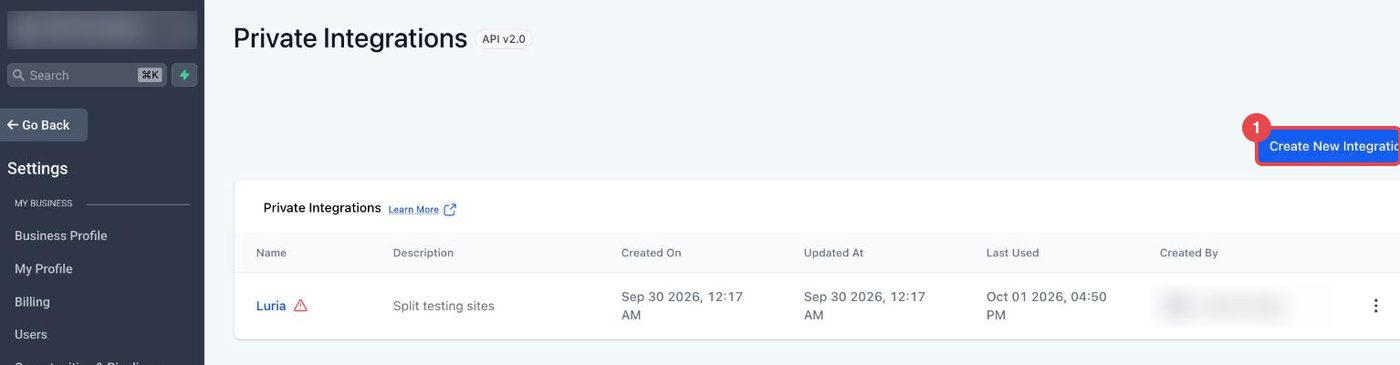
- Settings → Private Integrations → Create New Integration. Name it
Luria. - Permissions: every View permission plus Edit for Sites/Funnels, Products, Calendars and Opportunities. Create.
- Copy the token (starts with
pit-). Paste it in Luria with your Location id (the part after/location/in your address bar). Connect.
Don't see Private Integrations? Turn it on under Settings → Labs.
Start a split test
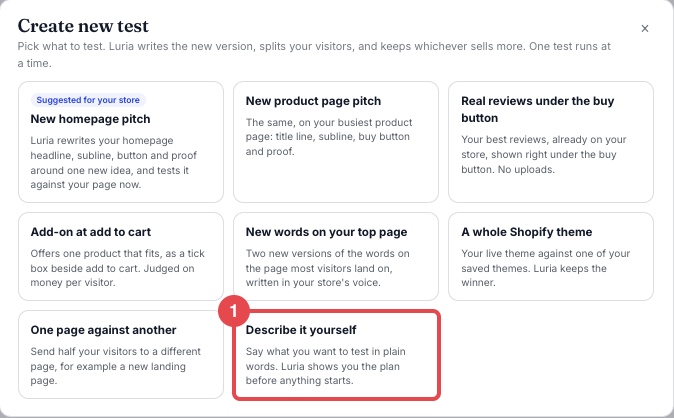
In Luria: Split Tests → Create new test → Describe it yourself.
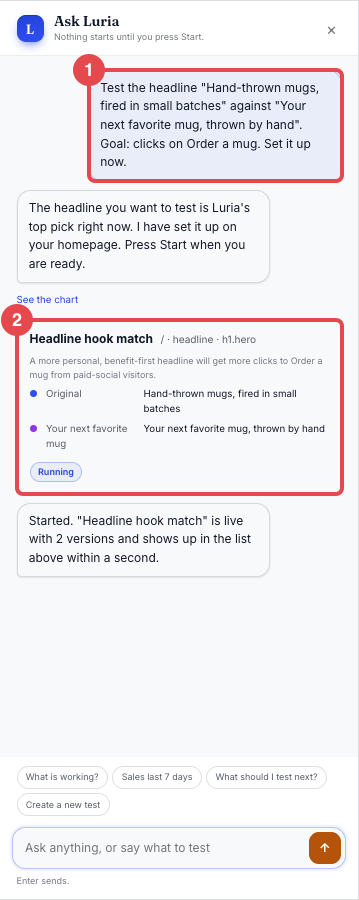
Type what to test, for example Test the headline "Plan your week in ten minutes" against "Your whole week, planned in ten minutes". Luria shows the plan. Press Start this test.
The connect pop-up
The first time you sign in to your Luria dashboard, a connect pop-up covers it and shows these steps. It closes on its own once your sub-account is connected for the first time and Luria has seen the first real visit to your funnel.
Check it works
- Open your funnel in a private window.
- In Luria, Split Tests → Visitors tested goes up within a minute.
- Submit your form once. The lead shows on the GoHighLevel page within 10 minutes.
How leads and sales are counted
| What | How Luria gets it |
|---|---|
| Visits, clicks, scroll | The tag on your funnel |
| Leads, bookings, show / no-show, won deals, payments | Read from GoHighLevel every 10 minutes |
| Which version a lead saw | The tag marks your forms and calendars with the visit |
Want it instant? On the Connection tab, copy the webhook URL into a workflow Webhook action. Details: Real-time events.
Fix a problem
Your form shows a message on the same page. Set it to redirect to your thank-you step.
You pasted it into one page. Move it to the funnel's Settings → Head tracking code.
The token was rotated or the app was removed. Paste a new token, or press Reconnect GoHighLevel. History stays.
The token is missing a View scope. The Connection tab names it. Add it in GoHighLevel, then press Read my account now.
More: Fix a connection.
Real-time events
Optional. Leads, bookings, deals and payments already arrive every 10 minutes.
In Automation → Workflows, add a Webhook action (POST, your webhook URL) with a Custom Data field luria_event:
| Trigger | luria_event |
|---|---|
| Form submitted | lead |
| Appointment booked | booked_call + appointment_id |
| Appointment showed / no show | showed / no_show + appointment_id |
| Opportunity won | won_deal + opportunity_id |
| Payment received | purchase |
| Email opened / clicked | email_opened / email_clicked + email_id |
Keep the webhook URL private, like a password.
Remove Luria
Connection tab → Disconnect GoHighLevel → Yes, disconnect. Then delete the tag from your funnel settings.
Next steps
Install on Shopify
Install your store's private Luria app from the link we email you, agree to the data terms, paste the conversion pixel, and confirm your first test is live.
Install on Cloudflare
If your site runs through Cloudflare, paste one token and Luria installs itself on your domain. No code to paste.