
Fix a connection
What each connection status means, and the one button that fixes it, for GoHighLevel, Cloudflare and Vercel.
Open luriart.com/app/connections. Luria checks every connection every 10 minutes and shows one of three statuses.
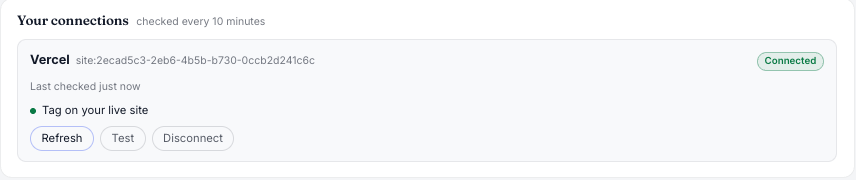
| Status | What it means | What to do |
|---|---|---|
| Connected | Every check passed. | Nothing. |
| Needs attention | Luria still runs, one check failed. | Press the button under the failed check. |
| Disconnected | Luria lost access. Tests keep serving; new numbers stop. | Press Reconnect. |
Each failed check names its fix and has one button: Reconnect, Reinstall, Verify again, Repair or Update details. Luria repairs itself up to 3 times an hour before it asks you.
You get an email
When a connection is Disconnected, Luria emails you: at once if a test is running, otherwise in a daily summary. The subject starts with "Luria lost its … connection".
Stuck on Installing
Press Finish install on the card. Luria installs and checks in one go. Still stuck after a minute? Press Refresh.
GoHighLevel
Token users: the token was deleted or rotated. In GoHighLevel open Settings → Private Integrations, create or rotate the Luria token, then paste it on the Connection tab with the same location id. History and settings stay.
App users: the Luria app was removed or its access expired. Press Reconnect GoHighLevel on the Connection tab and pick the sub-account again.
GoHighLevel tokens should be rotated every 90 days. After 80 days the Connection tab warns you. Rotate it in Private Integrations; the old token works for 7 more days, so paste the new one before then.
The token is missing a View permission. The Connection tab names it. Add it to the Luria integration in GoHighLevel, then press Read my account now.
Luria opens a few funnel steps on each check and names the ones without the tag. Paste the tag into that funnel's Settings → Head tracking code (not a single step) and publish.
Cloudflare
Create a new token with the Create it here link on the Cloudflare card and paste it. Luria reuses your settings.
Press Repair. Luria reinstalls its Worker and route. It never replaces a Worker of yours.
Cloudflare is serving an old cached copy. Purge the cache for that page in Cloudflare, then press Verify again.
Luria shows the two things to delete by hand in Cloudflare: the Luria Worker under Workers & Pages, and its route under your domain's Workers Routes.
Vercel
A new deploy removed the tag, usually a new layout. Put the tag back in your root layout's <head>, deploy, then press Verify again.
Disconnect on purpose
Press Disconnect on the card, then Click again to disconnect. Luria removes only what it added and deletes its copy of your token. Your history stays. Pages keep loading normally.