
Dashboard
Recordings and heatmaps
Watch real visits, read heatmaps, and see where visitors leave, in the Analysis tab.
plain textupdated 2026-10-03
Open Analysis in the dashboard. Three tabs: Recordings, Heatmaps, What we learned.
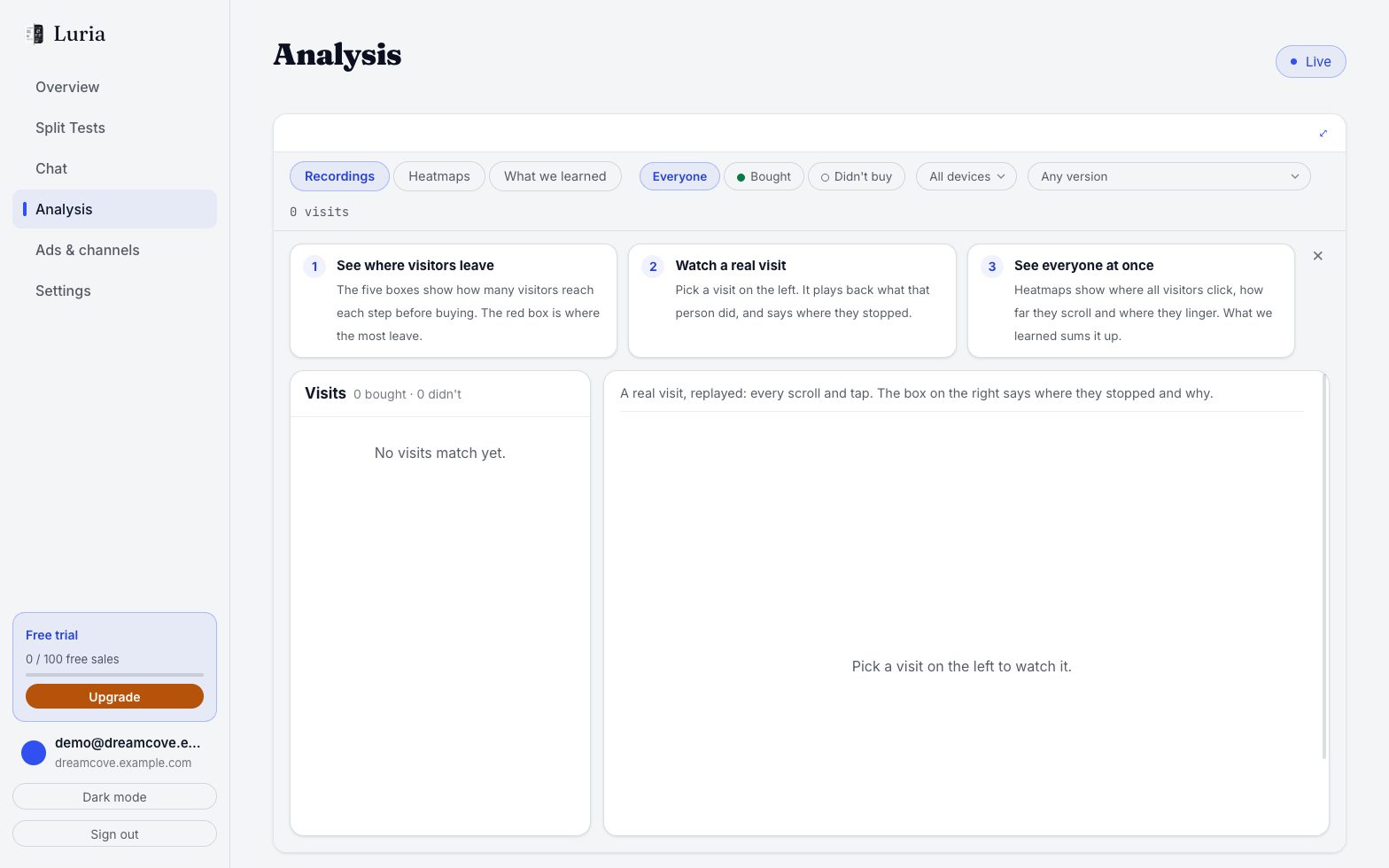
Find where visitors leave
Where visitors leave shows five steps: Landing, Product, Cart, Checkout, Bought. The red one loses the most people. Tap a step to see only those visits.
Watch a visit
- Pick a visit in the Visits list on the left.
- Press play. The Path under the video jumps to any moment.
- Show older visits loads more.
Narrow the list at the top: Everyone / Bought / Didn't buy, a device, or Any version of a test.
Read a heatmap
Open Heatmaps, pick the page and device, then Show: Clicks, How far they scroll or Where they linger. Pick a test and Compare to slide between the original and the new version.
What is never recorded
- Anything typed into a field (shown as dots), emails and card numbers.
- Account pages, and anything you mark with the class
luria-private. - Visitors with Do Not Track or Global Privacy Control on.
- Shopify checkout. The video ends there.
Purchases, checkouts, rage clicks, dropped forms and long visits are always kept. Heatmaps count every tracked visit. More: What Luria stores.