
Your dashboard
How to sign in, and what each tab of the Luria dashboard shows.
Your dashboard is at luriart.com/app.
Sign in
Type your email and press Email me a link. The link works once, for 30 minutes. Nothing after ten minutes? Email hello@luriart.com.
First sign-in
Not on Shopify? The first time you sign in, a Connect your site window opens over the dashboard:
- Connect the one connection your site needs (Luria picks it from your live site: Cloudflare, GoHighLevel, or the plain tag).
- Open your site once.
- Luria waits for that first visit, then opens your dashboard.
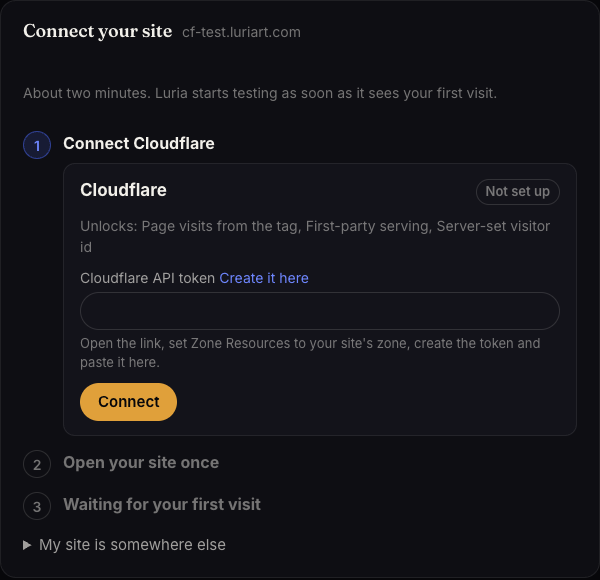
Then a short tour walks you through the tabs (TOUR · 1 / 6): Overview, Split Tests, Chat, Analysis, Ads and Settings.
Connections
luriart.com/app/connections lists every connection (GoHighLevel, Cloudflare, Stripe, Calendly), checks each one every 10 minutes, and shows what your data covers. One press of Connect connects, installs and checks.
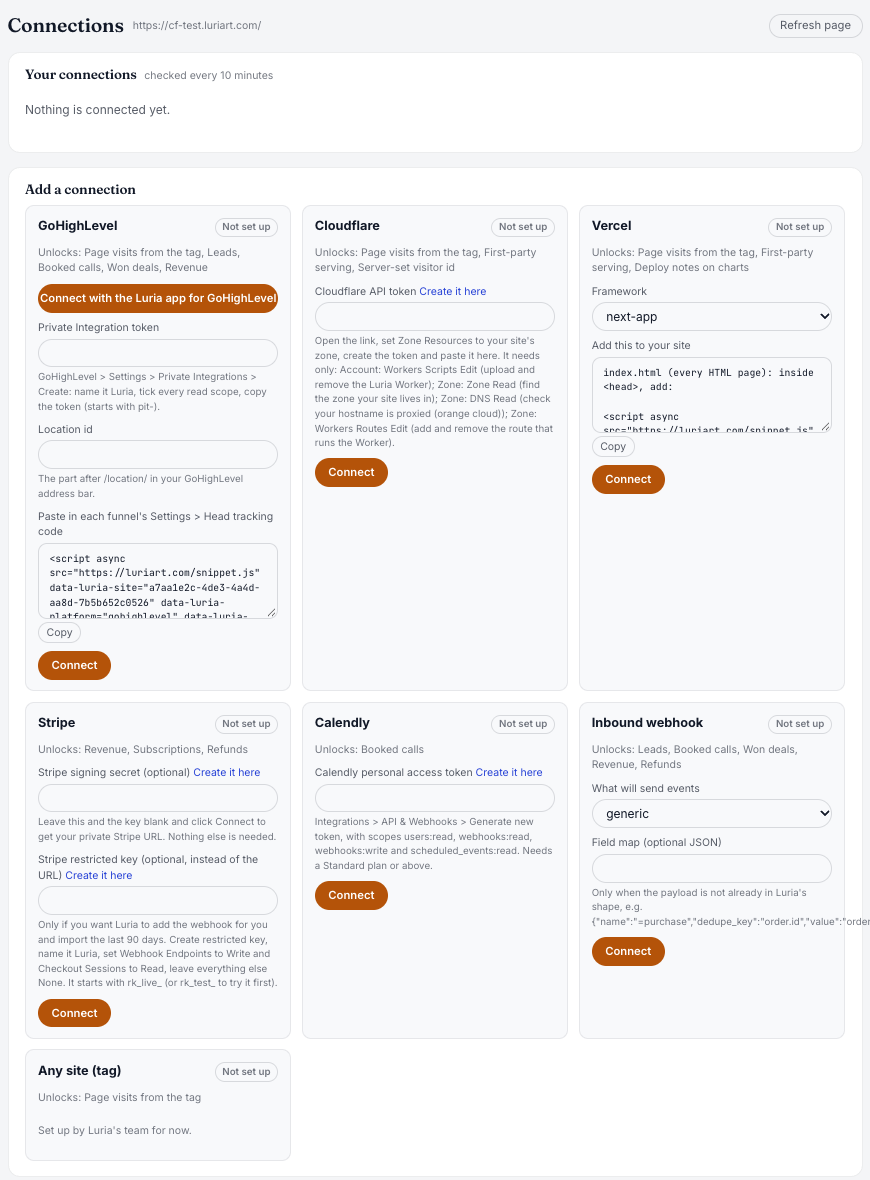
Something says Needs attention or Disconnected? See Fix a connection.
Top right of Overview, the dot beside your site says Live (visits in the last hour), Connected, silent (set up, no visits in the last hour: open your site once) or Not connected (no tag seen yet: Verify your install).
The tabs
The dashboard has seven tabs: Overview, Split Tests, Chat, Personal pages, Analysis, Ads & channels, and Settings.
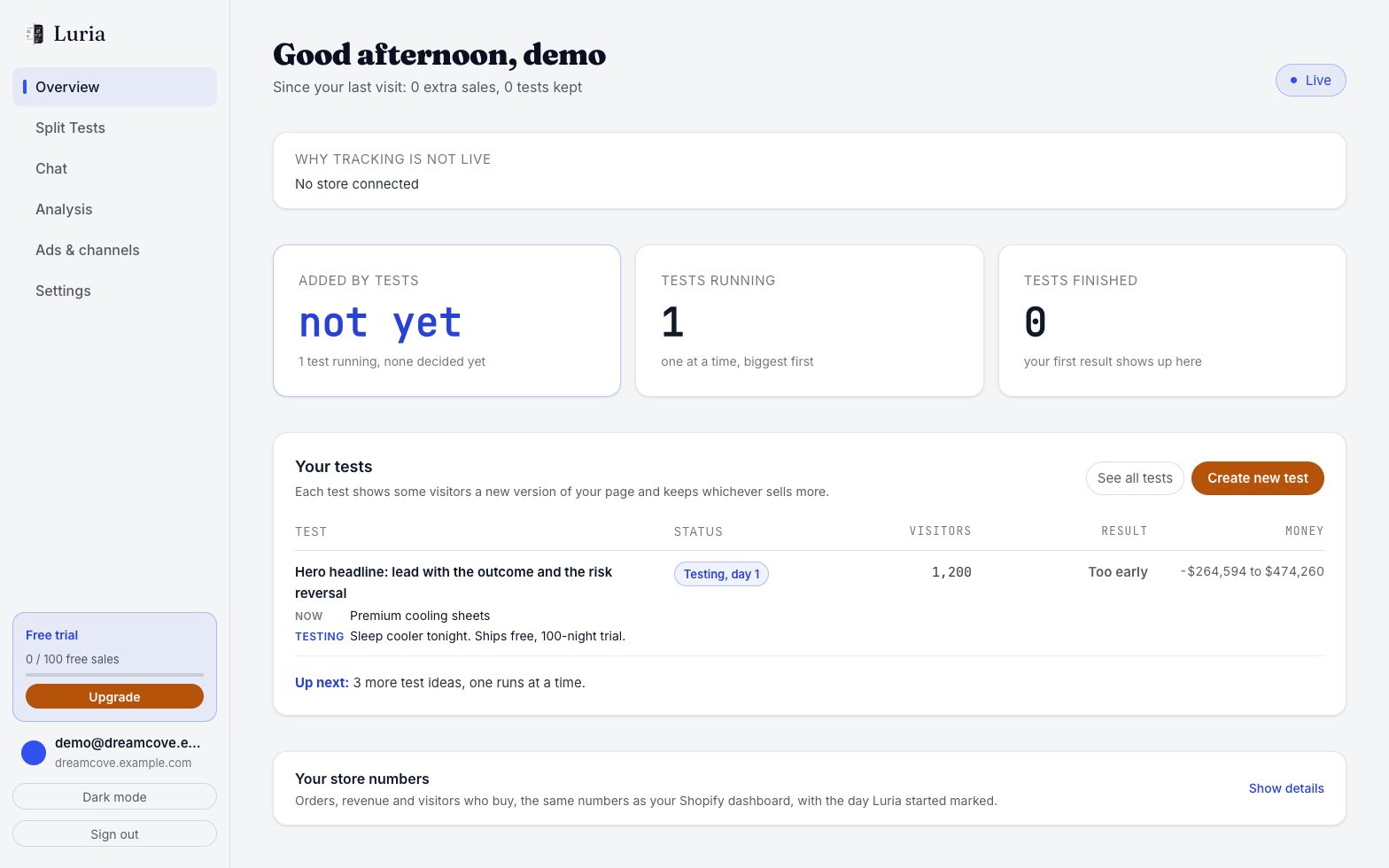
Overview
Your conversion rate, what tests added, your leads and customers.
Split Tests
Every test, both versions side by side, and what each earned. Pause, stop or roll back.
Chat
Ask Luria for a test in plain words. It runs next to Luria's own tests.
Personal pages
Each shopper sees the version of each part of your page that fits what they looked at and bought. Pick a part of your store, write a version for a kind of shopper (or start from a ready-made one, like a refill card that names what they bought), preview it on your real page and set it live. Luria learns which versions make each kind of shopper buy, suggests new ones every week, and keeps one shopper in ten on your original page to measure the gain. You can also let an AI assistant such as Claude set these up for you through Luria's MCP server, with an API key from Settings.
Analysis
Session recordings, heatmaps and where visitors leave.
Ads & channels
Paste an ad and get a matching landing page with its own link.
GoHighLevel sites also see Build a page for an email at the top: pick a sent email, or paste its subject and body, and Luria writes a page that matches it.
Settings
What Luria may change, your tag, your plan and your site details.
GoHighLevel sites also get a GoHighLevel page at luriart.com/app/ghl: your funnel numbers, split tests per funnel step, tracked links and the connection.
Fix a problem
Links last 30 minutes and work once. Request a fresh one.
Numbers come from your own visits. Open your site in a private window, then refresh.
Each site has its own sign-in email. Sign in with the email you used for that site.