
Orders missing
Why a real order did not show up as a conversion in Luria, on Shopify and on script sites.
An order happened, but Luria did not count it. The cause is different on Shopify than on everything else, so start with your platform.
What you'll need
- The order, with the time it was placed.
- Shopify only: the Luria app in your Shopify admin.
- Other platforms: access to your thank-you or confirmation page.
Steps
Step 1: Check Luria is live on your store
Open the Luria app. "App connected and tracking" must read Live on your store. Luria adds its tag to your live theme by itself; until it is there, nothing on the storefront is tracked and no order can be tied to a session. If it still says "Code not added yet" an hour after install, email hello@luriart.com.
Step 2: Check the Data Processing Terms are approved
"Data processing terms" must read Accepted. The engine stays off until you press Agree and start the import in the app, so orders placed before that are not attributed.
Step 3: Check the pixel is reporting
The Conversion tracking card tells you either "Built-in pixel is reporting" or "Built-in pixel hasn't reported yet". If it has not reported, paste the backup pixel: press "Copy pixel code", then "Open Customer events", add a custom pixel, name it Luria, set Permissions to "Not required", save, then connect. It reports purchases exactly like the built-in pixel and cannot double-count, because both use the same key for an order.
Step 4: Check the order carried Luria's attributes
Luria counts an order when the order arrives carrying the attributes the snippet stamps on the cart. An order will not carry them if the visitor was never tracked: Global Privacy Control or Do Not Track was on, the visitor declined tracking where consent is required, or the buyer never loaded a tracked storefront page (for example a draft order or a phone order). Those orders stay in Shopify and simply do not count as attributed conversions, which also means they never use up your free allowance.
Verify it worked
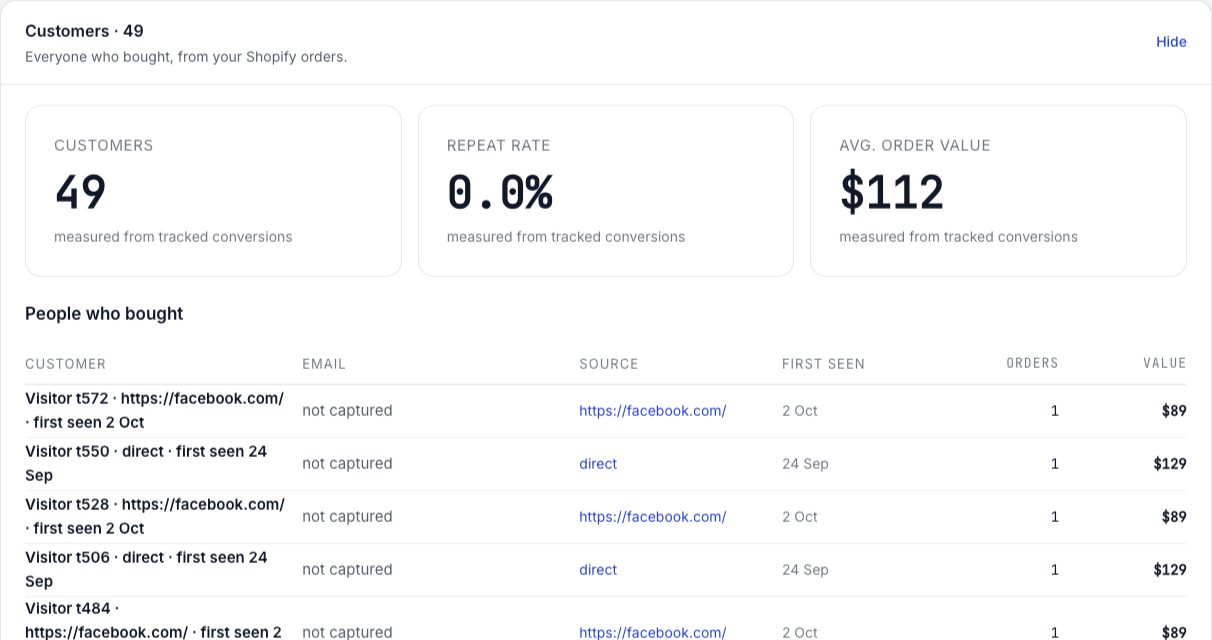
Place a test order, or wait for the next real one, then open the Customers section on the Overview tab. Converted visits appear there with their source, the date first seen, and the value.
Common failures
- Fixing it does not backfill. An order placed while tracking was off stays uncounted. Only orders after the fix are attributed.
- Refunds. A fully refunded order gives its free-allowance slot back and its revenue comes back out of your tracked total.
- You are comparing totals. Luria only ever counts attributed orders, so its number is expected to be lower than Shopify's. See Numbers don't match Shopify.