
No variants serving
Why your pages still look unchanged, and how to tell which of the six causes is yours.
Your pages look exactly as they did before. That is almost always one of six causes, and each has a place in the product where you can see it.
What you'll need
- Your dashboard at luriart.com/app.
- Shopify only: the Luria app inside your Shopify admin.
- A private browser window.
Steps
Step 1: Check the free limit
If the line under the Overview greeting reads "Free limit reached (100/100). Upgrade to turn tests back on." (the sidebar says "Free limit reached" too), your 100 free attributed conversions are used. Measurement keeps running, and every visitor is served the control version until you upgrade. See Plans and metering.
Step 2: Check whether changes are waiting on you
Open the Settings tab. If "How changes go live" is set to Approve first, every change waits for your approval before it goes live. Approve a waiting test with Run this test on the Split Tests tab, or switch to Run on its own if you want Luria to keep winners itself. See Approvals.
Step 3: Shopify only, check the app is switched on
In the Luria app, the Setup checklist must read "App connected and tracking: Live on your store" and "Data processing terms: Accepted". The engine stays off until you press Agree and start the import. Luria adds its tag to your live theme by itself; if the app says "Code not added yet" for more than an hour, email hello@luriart.com.
Step 4: Check the test itself
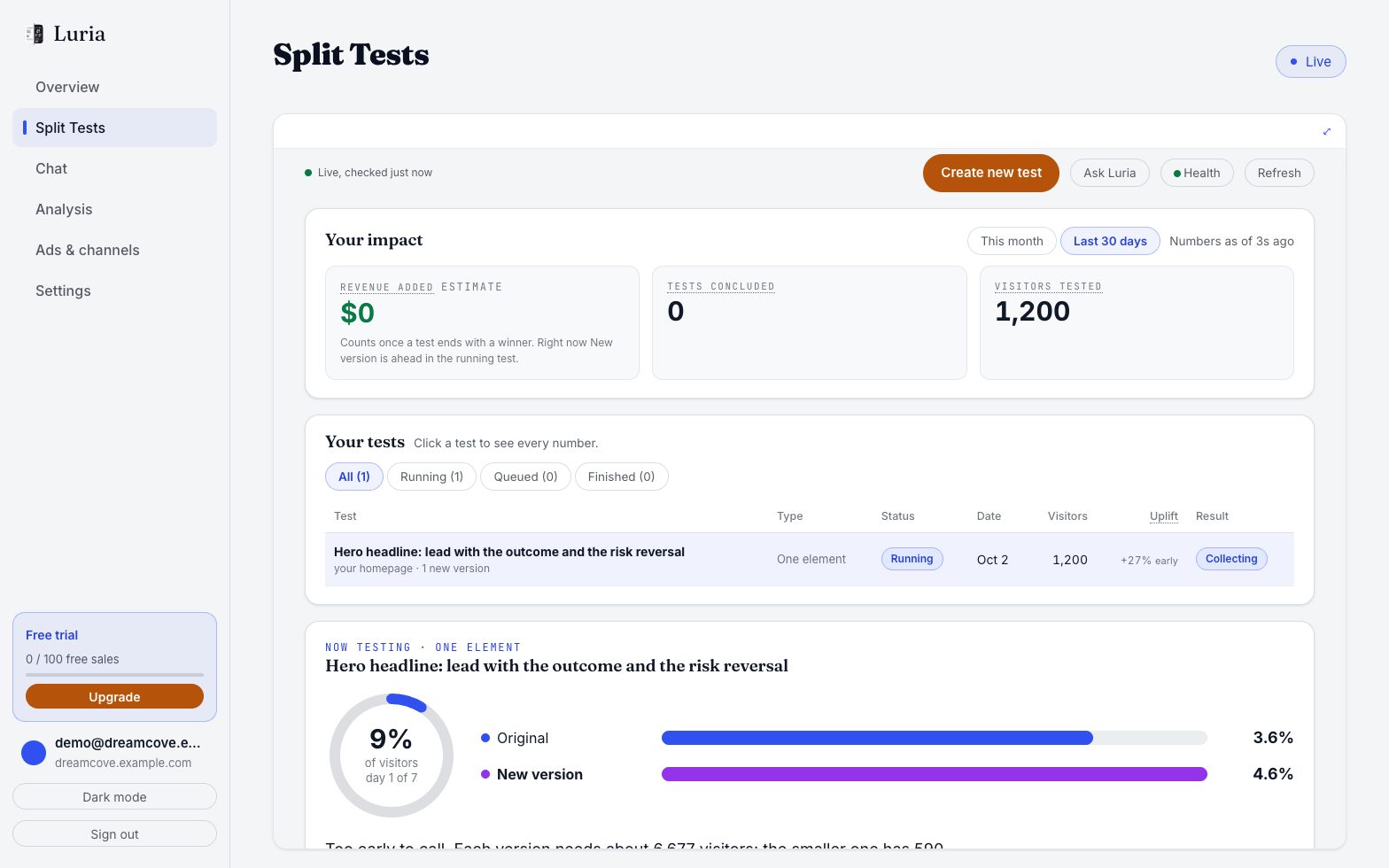
Open the Split Tests tab. The running test shows visitors, buyers and the conversion rate for the original and the new version, and the chance the new version wins. A test that has just started splits traffic evenly and needs at least 200 sessions per arm before Luria will promote anything, and promotion also needs above 95% probability of beating control.
Step 5: Remember you are one visitor
Assignment is sticky. The same visitor always sees the same arm, so if you landed in control you will keep seeing the original page. Try a fresh private window to get a new assignment.
Verify it worked
Load the tested page in a private window. If you are in the variant arm you will see the changed text. Either way, the Split Tests tab should show visitors climbing on both arms within a few visits.
Common failures
- The change is not live on that URL. Variants are matched to the exact page path they were created for. A different path, including a different product page, will not receive them.
- Luria paused your site. Pausing stops serving within about 60 seconds. Pause and resume for the whole site are done with Luria by email, not with a dashboard toggle.
- The variant lost. A variant that falls below a 5% chance of beating control is killed, and the Change log on the Split Tests tab will show it as killed or rolled back.
- Only text and style change. Variants are small text and style patches, so the change can be a headline, a call to action or an offer line rather than a visible redesign. Checkout legal text, privacy and terms pages, and prices without approval are never touched.